5 Strategic Reasons to Convert Your Images to PDF
Parth Soni
Editorial Team
At a Glance
Why professionals choose PDF over JPG. From consolidating portfolios to ensuring print consistency and security, discover the benefits of the PDF format.
We handle images every day—JPGs, PNGs, screenshots. But when it takes to professional work, tossing a bunch of loose image files into an email or chat looks messy. Portable Document Format (PDF) is the industry standard for reason.
1. Universal Compatibility
Ever sent a HEIC image from an iPhone to a Windows user who couldn't open it? Or a PSD file to a client without Photoshop?
The "Portable" Promise
PDFs look exactly the same on a smartphone, a tablet, a Windows PC, a Mac, or a Linux server. Fonts, layout, and images are locked in place. No surprises.
2. Consolidation (The "Binder" Effect)
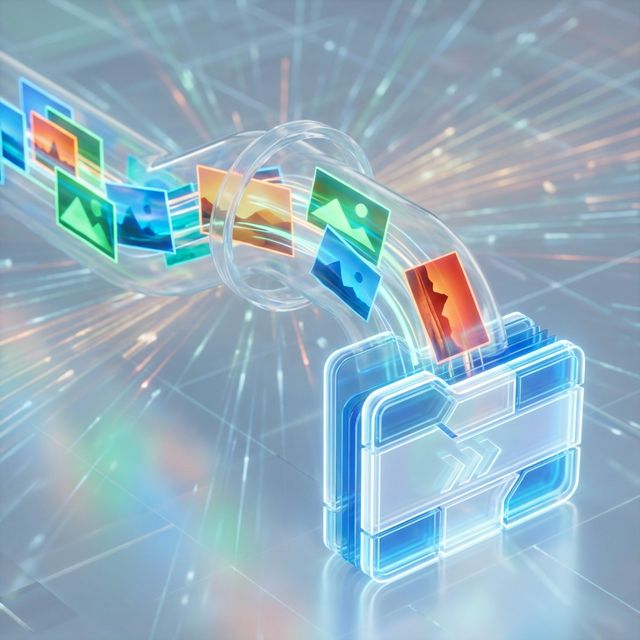
Sending 15 separate JPG attachments in an email is a nightmare for the recipient. Converting images to PDF allows you to merge them into a single file.
- Portfolios & Lookbooks
- Scanned Receipt Bundles
- ID Cards (Front & Back)
- Project Mockups
3. Security and Encryption
You cannot put a password on a JPEG. But you can lock a PDF tight.
Control Access
If you are sending sensitive contracts, ID proof, or exclusive artwork, converting to PDF allows you to set a User Password (to open) or an Owner Password (to prevent printing/copying).
4. Better Printing Control
Printing images directly from a browser or photo viewer often results in scaling issues—images getting cut off or printed at the wrong size.
PDFs respect physical dimensions (like A4 or Letter). If you place an image on an A4 PDF page, it will print exactly that way, every single time.
5. Searchable Text (OCR)
This is a game changer. If your images contain text (like scanned invoices), converting them to a PDF with OCR (Optical Character Recognition) makes that text selectable and searchable.
6. Long-Term Archiving (PDF/A)
Technically, a JPEG can degrade over time if re-saved (generation loss). A PDF container protects the bitstream inside.
The "Generation Loss" Problem
Every time you rotate, crop, or save a JPG, it recompresses and loses quality. Once an image is inside a PDF, it is frozen. You can email it 1,000 times and it will never degrade.
The ISO 19005 Standard
PDF/A is a special version of PDF designed for 100-year storage. It forbids external font linking or JavaScript, ensuring your grandkids can open the file in 2125.
7. Pro Portfolios: Clean & Interactive
Sending a client a Google Drive link full of images is unprofessional. A PDF Portfolio allows for storytelling.
- Order Control: You decide which image they see first, second, and last.
- Mixed Media: You can include a clickable "Hire Me" button or links to your website directly on the page.
- Metadata Preservation: Our converter preserves your XMP and IPTC metadata (copyright info), creating a digital paper trail for your work.
8. The Environmental Impact: Less Paper
Converting images to digital documents is a green choice.
The "Paperless" Reality
Every 10,000 sheets of paper equals one tree. By bundling receipts, invoices, and photos into PDFs instead of printing them for physical filing, you are directly contributing to forest conservation. Digital archiving is not just efficient; it's responsible.
9. Accessibility for Visual Impairments
A raw image is a "black box" to a screen reader used by blind users. A PDF can be made accessible.
Alt Text Support
Standard JPEGs often lose their "alt text" when shared. PDFs support standard accessibility tags (PDF/UA), allowing you to describe images for screen readers.
Reading Order
In a PDF, you define the logical reading order. This ensures that assistive technology reads your content (text + images) in a coherent flow, rather than jumping around randomly.
When NOT to Convert to PDF
PDF isn't always the answer. Here are scenarios where you should keep your files as images:
Social Media Uploads
Instagram, Facebook, and Twitter require JPG/PNG files directly.
Editing in Photoshop
If you need to edit pixels layer-by-layer, stick to PSD or TIFF.
Frequently Asked Questions
Q1Does converting to PDF lower image quality?
It depends on your settings. A PDF is a container; it can hold the original high-resolution image perfectly. However, many converters apply compression by default to save space.
Q2Can I convert multiple images into one PDF?
Yes, this is one of the main benefits. You can stitch dozens of JPGs into a single, scrollable PDF document.
Combine Your Images Today
Clean up your digital clutter. Use our free tool to merge unlimited JPGs, PNGs, or WebP files into a single, professional PDF document.
Parth Soni
Lead Developer & Tool Expert
Parth is the lead developer at Editobox with over 8 years of experience in digital imaging and document processing systems.
Think this guide could help someone else?
Spread the knowledge. Sharing takes seconds and helps us keep our tools free forever.